June 29, 2026
Square and Shopify SKUs Not Matching? Here's How to Fix It
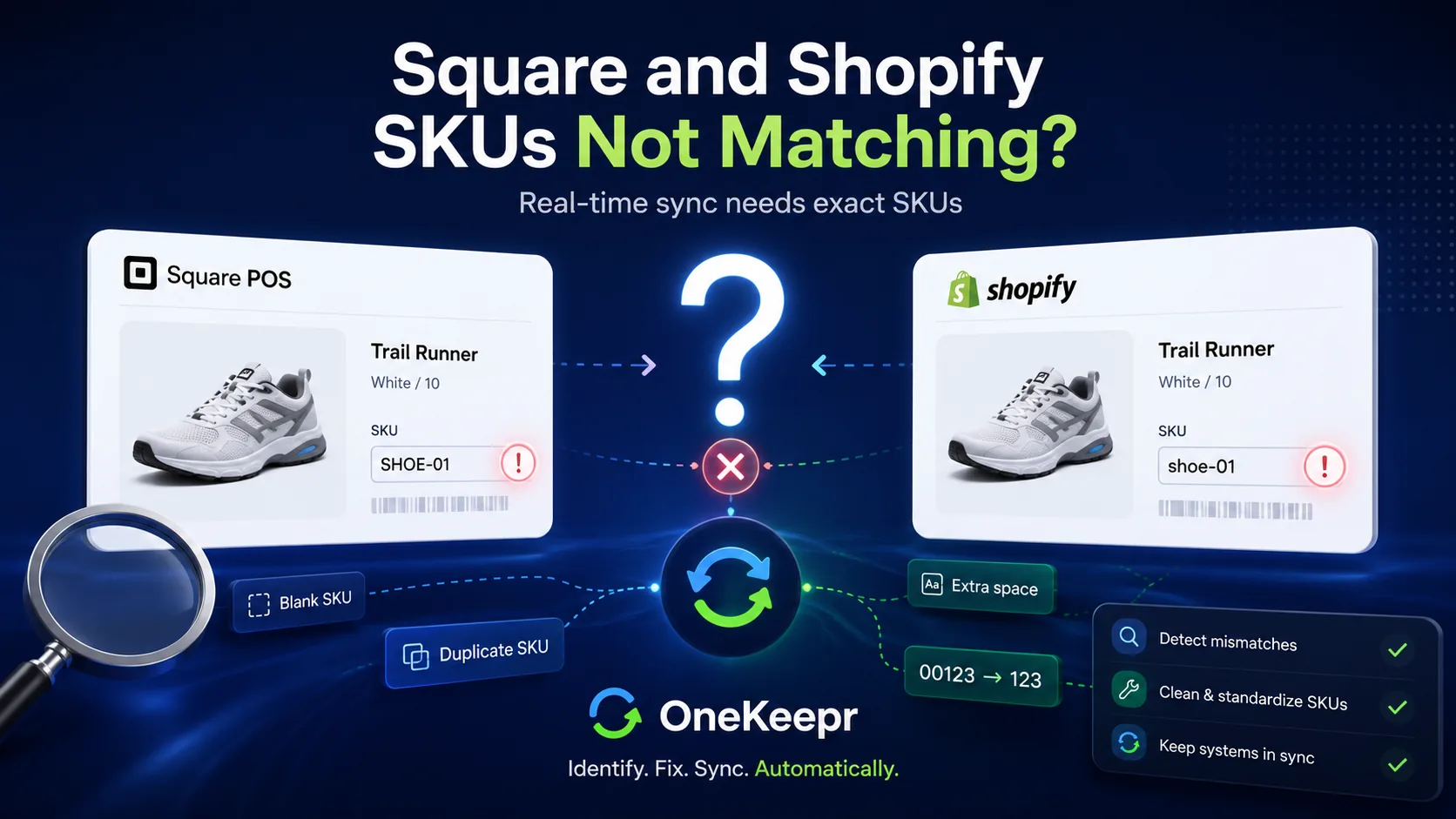
Your sync is on, most of your catalog is flowing fine, but a handful of products just sit there. Stock changes on one side and the other side never hears about it. Frustrating, and weirdly specific — why these items and not the rest?
Nine times out of ten, the answer is the SKU. Sync tools match your products across Square and Shopify by SKU, so when an item won't sync, it's usually not the sync that's broken — it's that the tool can't find the same SKU on both sides. Here's how to spot the mismatch and fix it for good.
Why the SKU is the linchpin
Square and Shopify each store your products separately, with their own internal IDs that mean nothing to the other system. The one thing they can agree on is the SKU you assign. So that's what sync uses to say "this product here is the same as that product there."
If the SKUs line up, sync works. If they don't, the tool has nothing to match on, so it does the safe thing and leaves the item alone rather than guessing. That silent skip is what you're seeing. Fix the SKU and the item starts syncing immediately — no other change needed.
The six usual culprits
1. A blank SKU
If a product has no SKU on one side, there's nothing to match. This is the single most common cause. New products added quickly at the counter or imported in a hurry often have the SKU field left empty. No SKU, no sync.
2. SKUs that don't match exactly
Matching is character-for-character, and it's strict. SHOE-01 and shoe-01 are two different SKUs as far as the tool is concerned, because case counts. So does punctuation — SHOE01, SHOE-01, and SHOE_01 are three separate things. If you typed the SKU by hand on each platform, small inconsistencies creep in fast.
3. Hidden spaces and tabs
This one's maddening because you can't see it. A SKU that looks like SHOE-01 might actually be SHOE-01 with a trailing space, or have a stray tab pasted in from a spreadsheet. To you they look identical; to the matching engine they're different strings. If a SKU looks correct but still won't match, suspect invisible whitespace.
4. Leading zeros eaten by a spreadsheet
If you ever edit SKUs in Excel or Google Sheets, watch out: a SKU like 00123 gets read as the number 123, and the leading zeros vanish. Re-import that file and half your SKUs no longer match the other platform. Spreadsheets are the most common way good SKUs get quietly corrupted.
5. Duplicate SKUs
A SKU is supposed to point to exactly one product or variant. When two products share a SKU, the tool can't tell which one you mean, so it either syncs the wrong item or refuses to sync at all. Duplicates usually sneak in when a product is created twice, or when a placeholder SKU like NEW gets reused.
6. Variant-level mismatches
For products with options — sizes, colors — each variant has its own SKU, and each one has to match independently. A product can look like it's syncing while one specific size silently isn't, because that single variant's SKU is off. If "the product syncs but one size never updates," this is why.
How to find the problem
You don't have to inspect products one at a time. Export your catalog from both platforms and compare:
- Export from Square and export from Shopify — both let you download your products with SKUs.
- Put the SKU columns side by side in a spreadsheet (format the SKU columns as text first, so you don't recreate the leading-zero problem while diagnosing it).
- Look for three things: blanks, duplicates, and near-matches — pairs that are almost identical but differ by case, a dash, or a space.
That comparison usually surfaces the culprits in a few minutes. A good sync tool helps here too: instead of making you hunt, it flags the items it couldn't match so you know exactly which SKUs to fix. (For the bigger picture on how the two platforms connect in the first place, see our guide on how to connect Square to Shopify.)
How to fix it
Once you've found the mismatches, the fix is straightforward:
- Pick one platform as your reference for what the correct SKU should be. Decide that Square's SKUs are the truth, or Shopify's — then make the other side match it.
- Fix the SKUs at the source, directly in the platform, rather than round-tripping through a spreadsheet that might re-corrupt them.
- Type carefully: same case, same punctuation, no trailing spaces. Copy-paste from your reference platform when you can, so you're not retyping and reintroducing typos.
- Re-run the sync. With matching SKUs in place, the previously stuck items will sync on the next pass.
How to keep it from happening again
- Give every product a SKU at creation — make it a habit, never leave the field blank.
- Use a consistent SKU format across your whole catalog: same case, same separators, every time.
- Stop editing SKUs in spreadsheets unless you format the column as text first. This alone prevents the most common recurring breakage.
- Run a clean-up before you connect any new sync. Twenty minutes of SKU hygiene up front saves hours of "why won't this sync" later.
This is exactly why OneKeepr is strict and clear about SKU matching instead of failing quietly — it tells you which items don't line up so you can fix them, rather than leaving you to discover a stuck product weeks later. Start a free 7-day trial and connect your store and website with your SKUs working the way they should.
FAQ
Why won't my products sync between Square and Shopify? The most common reason is a SKU mismatch. Sync tools pair products by SKU, so if a SKU is blank, duplicated, or even slightly different between the two platforms, that item silently fails to sync.
Do SKUs have to match exactly between Square and Shopify?
Yes — character-for-character, including case and spaces. SHOE-01 and shoe-01 are treated as different products, and an invisible trailing space breaks the match just as easily.
Why do my SKUs lose their leading zeros?
Spreadsheets. Open a CSV in Excel or Google Sheets and a SKU like 00123 gets read as the number 123. Format the column as text before editing, or don't edit SKUs in a spreadsheet at all.
Can two products share the same SKU? They shouldn't. A SKU should be unique to one product or variant. Duplicates confuse sync tools because there's no single product to match to, so stock can land on the wrong item or fail to sync.
How do I find which products have SKU problems? Export your catalog from both platforms, line the SKUs up side by side, and look for blanks, duplicates, and near-matches that differ by case or spacing. A good sync tool will also flag unmatched items for you.
Stop chasing stuck products. Connect Square and Shopify with OneKeepr and let it tell you exactly which SKUs need attention — instead of leaving you to find out the hard way. Your free trial runs for 7 days.